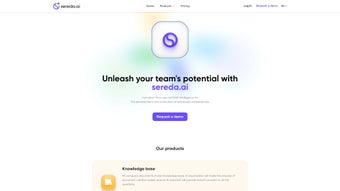

Download Sreda.ai – AI‑Powered Employee Training Platform, Free Trial, Secure & Scalable
Sreda.ai is an AI‑driven learning platform designed to modernize employee onboarding, continuous education, and compliance training across organizations of any size. By consolidating company policies, procedural documents, and external knowledge sources into a single searchable repository, the system empowers every team member to find the right answer at the right moment. The AI engine builds personalized learning paths that adapt in real time, recommends micro‑learning snippets when performance dips, and delivers instant multilingual support for global workforces. With a cloud‑first architecture, end‑to‑end encryption, and a transparent subscription model, Sreda.ai promises a secure, up‑to‑date, and cost‑effective solution that scales from a handful of users to thousands without sacrificing performance. Whether you are a startup seeking rapid onboarding or an enterprise looking to unify scattered training assets, Sreda.ai offers a cohesive ecosystem that turns learning into a strategic advantage.
Key Features, Installation & Compatibility (All in One Comprehensive Section)
Feature Overview (itemprop="featureList")
- AI Knowledge Base – Automatic indexing of policies, SOPs, and FAQs with context‑aware answers.
- Personalized Learning Paths – Adaptive courses that adjust difficulty based on learner performance.
- Multilingual Support – Real‑time translation in more than 15 languages.
- Interactive Course Builder – Drag‑and‑drop modules, quizzes, video embeds, and gamified elements.
- Pulse Surveys & Analytics – Continuous feedback loops, engagement metrics, and ROI dashboards.
- Performance Review Integration – Data‑driven reviews linked directly to training outcomes.
- Gamification Engine – Badges, leaderboards, and points to motivate learners.
- Expert Library – Access to 20+ industry‑vetted courses at no extra cost.
- Secure Cloud Architecture – End‑to‑end encryption, role‑based access, GDPR & CCPA compliance.
- Scalable Subscription Model – Flat $5 per employee per month, no hidden fees.
Step‑by‑Step Installation & Initial Setup
Getting started with Sreda.ai is intentionally frictionless. After registering for a free 14‑day trial, you receive a welcome email containing a secure link to the SaaS portal and a temporary admin password. Because the platform is fully web‑based, there is no client‑side installation—simply open the link in a modern browser (Chrome, Edge, Safari, or Firefox) on any device.
1. Account Activation – Click the portal link, set a permanent password, and verify your corporate domain via a DNS TXT record. This step ensures that only authorized administrators can manage the knowledge base.
2.
Company Profile Configuration – Import your organizational hierarchy, upload existing documentation (PDF, DOCX, or SharePoint links), and assign categorical tags (HR, Compliance, Sales, etc.). The AI engine begins indexing immediately; most midsize firms see full indexing within 30‑45 minutes.
3. Employee Onboarding – Sync user data from CSV, Azure AD, G Suite, or Okta.
The system automatically generates starter learning paths based on role, seniority, and identified skill gaps.
4. Course Creation – Use the drag‑and‑drop builder to assemble modules. Insert quizzes, video lectures, and gamified challenges.
The platform’s suggestion engine pulls relevant content from the Expert Library, reducing authoring time.
5. Launch & Monitoring – Publish courses, notify learners via email or Slack, and track progress on the real‑time analytics dashboard. Metrics such as completion rate, quiz scores, and pulse‑survey sentiment are visualized instantly.
Best Practices for Ongoing Success: Schedule a brief weekly “Learning Review” where managers glance at the analytics panel, identify lagging learners, and trigger micro‑learning nudges from the AI assistant. Encourage staff to ask quick questions via the AI chat – each interaction refines the model, improving answer relevance over time. Regularly refresh the knowledge base with new policies or product updates; the AI re‑indexes automatically, keeping information current without manual effort.
Compatibility and System Requirements (itemprop="operatingSystem")
As a SaaS solution, Sreda.ai runs on any device that supports a modern web browser. Officially supported operating systems include Windows 10/11, macOS 12+, iOS 14+, Android 9+, and major Linux distributions when accessed through Chrome or Firefox. Native mobile apps are available for iOS and Android, offering offline‑cache capabilities for remote workers with intermittent connectivity. The platform also integrates with popular identity providers (Azure AD, Okta, Google Workspace) and HRIS systems (Workday, BambooHR, SAP SuccessFactors) via RESTful APIs, ensuring seamless user provisioning and single‑sign‑on experiences.
Pros and Cons (Structured Lists)
Pros
- Highly customizable learning paths eliminate generic training.
- AI assistant provides instant, context‑aware answers, reducing support tickets.
- Multilingual support removes language barriers for global teams.
- Transparent analytics deliver clear visibility into training ROI.
- Flat‑rate pricing simplifies budgeting as the organization scales.
- Gamification boosts engagement and completion rates.
- Secure cloud architecture meets stringent compliance standards.
Cons
- Initial knowledge‑base migration may require dedicated HR/IT effort.
- AI tone customization is limited to predefined options.
- Organizations with strict air‑gap policies need a special on‑premise arrangement.
- Some users experience a learning curve with the drag‑and‑drop course builder.
- Advanced reporting beyond the built‑in dashboards may require external BI tools.
Frequently Asked Questions (FAQ)
Is there a free trial available for Sreda.ai?
Yes, Sreda.ai offers a 14‑day free trial with full access to all features, including the Expert Library. No credit card is required to start the trial.
How does the AI assistant handle data privacy?
All queries and responses are encrypted in transit and at rest. The AI stores only minimal context needed for relevance and complies with GDPR, CCPA, and ISO 27001 standards.
Can Sreda.ai integrate with existing HR systems?
Yes, Sreda.ai provides RESTful APIs and pre‑built connectors for Workday, BambooHR, SAP SuccessFactors, and other popular HRIS platforms, enabling automatic sync of employee data and training records.
What analytics does Sreda.ai provide?
The dashboard includes course completion rates, average quiz scores, time‑on‑task, pulse‑survey sentiment, and cost‑per‑learner calculations. Data can be exported to CSV or connected to Power BI for deeper analysis.
Is there a discount for large enterprises?
Organizations with more than 5,000 employees can negotiate volume discounts and receive a dedicated account manager. Contact the sales team for a custom quote.
Conclusion & Call to Action
Sreda.ai delivers a comprehensive, AI‑enhanced approach to employee training that directly addresses common pain points: scattered knowledge, language barriers, low engagement, and costly onboarding cycles. Its flat‑rate pricing at $5 per user per month is competitive, especially when you consider the built‑in analytics, gamification, and multilingual support that would otherwise require multiple separate tools. The platform’s secure, cloud‑first design ensures compliance and scalability, making it suitable for startups and global enterprises alike. For businesses ready to future‑proof their learning strategy while keeping costs predictable, Sreda.ai stands out as a compelling choice.
Ready to accelerate your team’s learning curve? Download Sreda.ai today, start your free 14‑day trial, and experience how AI can transform training into a strategic advantage.
Pros: AI knowledge base, multilingual support, robust analytics, affordable flat‑rate pricing, strong gamification, secure architecture.
Cons: Initial migration effort, limited AI tone customization, slight learning curve for the course builder, on‑premise exception needed for strict air‑gap environments.



.png)



